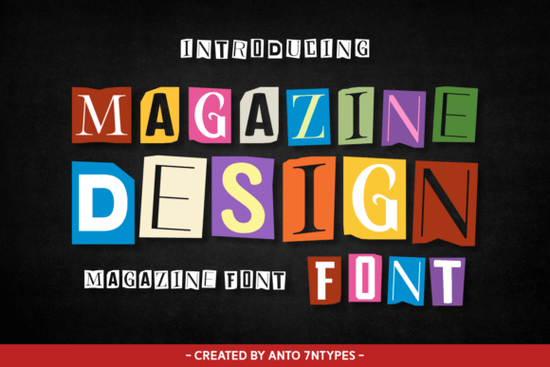
How does the cutout style work for branding and packaging?
Vintage cutout typography has a way of making digital designs feel physical. Shoppers browsing online respond to contrasts that break through flat screens. This font excels because its thick strokes and uneven terminals mimic real scissors and glue. Print-on-demand sellers and small business owners can use it to highlight product names, craft taglines for social media, or add a focal point to merchandise like tote bags and mugs. The bold weight ensures it holds up on both large posters and mobile screens. If you are designing packaging, consider using it only for headlines. Pair it with a simple sans-serif for details, and the contrast will keep your layout balanced. You can explore how other bold display options handle similar visual weight to understand what fits your niche best.
What projects benefit most from this retro typography?
This style shines when the goal is to create something memorable rather than strictly functional. Magazine editors and independent publishers often reach for these letterforms to design book covers, editorial headers, or pull quotes. The nostalgic feel works well for vintage-inspired campaigns, music posters, and event flyers. Digital creators will find it useful for greeting cards, sticker sheets, and Instagram graphics where personality matters more than formal structure. Because each character carries a handcrafted appearance, it naturally draws attention to short text blocks. If you need a typeface for longer paragraphs, pair it with something neutral. Many designers keep a structured geometric alternative ready for body copy when working with heavy display faces.
How can you pair it without overwhelming your layout?
Typography pairing is where most creators struggle, especially when the display font already has strong character. Start by limiting usage to one or two lines per design. Let the irregular shapes breathe by adding generous margins around the text. Avoid placing competing patterns behind the letters, as that reduces readability. Instead, use solid color backgrounds or subtle paper textures to maintain that retro collage aesthetic without cluttering the space. If you want a softer contrast, a classic serif combination often balances cutout letters nicely. Always test your designs at different sizes, since what looks striking on desktop might need spacing adjustments on mobile.
Where can you find matching vintage typefaces?
Building a cohesive visual system means finding fonts that share a similar mood without repeating the exact same shapes. Focus on traits like handcrafted edges, retro proportions, or mid-century styling. You can compare how different designers approach nostalgic lettering by browsing the full creative collection for display typography. Many creators mix two contrasting display fonts by using one for primary headlines and another for secondary accents. If you want a lighter, more modern complement to balance the heavy vintage aesthetic, checking out a clean contemporary option can help maintain readability. Keep your layout grid consistent and let your color palette do the heavy lifting. A quick reference search for the Magazine Design Font will show you related bundles and seasonal updates.
What should you verify before sending files to print?
Before publishing, run a quick quality check. Zoom in to full size and verify that all letterforms are intact, with no missing glyphs or overlapping paths. Test your color contrast against the background to ensure basic readability standards are met. Convert text to outlines if your printer requires it, but keep an editable copy saved separately. Preview the design on a phone screen and from arm length to catch spacing issues. Small adjustments before launch save revision hours.
Here is a quick checklist to follow before finalizing your project:
- Limit usage to headlines or short accent phrases.
- Check kerning on tricky letter pairs, especially irregular cutout edges.
- Pair intentionally with a neutral typeface for descriptions or body text.
- Test on mobile to confirm legibility at smaller screen sizes.
- Export carefully by saving editable source files and print-ready versions separately.
Experiment with different layouts, and let the font’s natural character guide your spacing and hierarchy choices.
Try It Free Coastal Delight Font: Design Tips & Download Guide
 Creative Uses for Picky Retro Fonts
 Playful Fonts for Creative Children's Projects
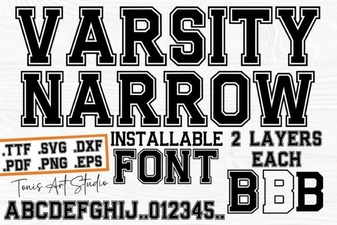 Innovative Design Projects Using Varsity Narrow Font
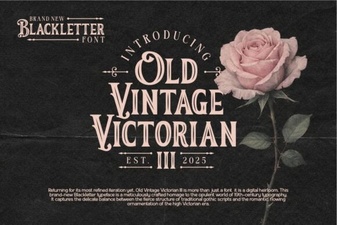 Classic Victorian Font Design Ideas & Uses
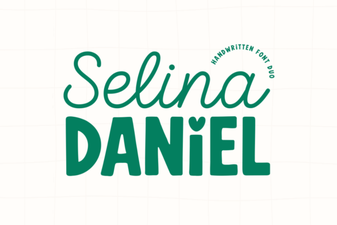 Selina Daniel Duo: a Creative Font Pairing