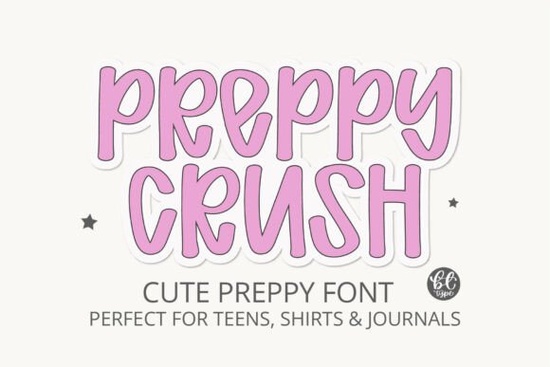
If you work on print-on-demand products, handmade stickers, or digital planners, finding a display typeface that balances structure with a relaxed feel can take time. The Preppycrush Font solves that gap by offering an all-caps design that mimics casual handwriting while keeping its layout tight and readable. It works best when you need lettering that feels approachable but still carries a clear, confident edge. Designers often look for this exact middle ground when styling quotes for apparel or creating cohesive social media graphics.
What makes this typeface different from standard sans serif options?
Standard display fonts often lean too rigid or overly loose, which limits their use across different mediums. This hand-drawn style takes uppercase structure and pairs it with curved, lowercase-style letterforms. The result is a clean stroke weight that sits nicely against both pastel backgrounds and high-contrast layouts. You will notice subtle variations in the curves that give it a human touch without sacrificing legibility. When comparing it to tighter options like athletic branding typefaces, this design leans more toward everyday lifestyle charm.
Which creative projects benefit the most from this style?
Because the lettering carries a preppy, slightly retro energy, it fits naturally into youth markets, classroom materials, and home goods. You can use it for motivational wall art, journal covers, or custom mug wraps without the text feeling out of place. The spacing works particularly well for short phrases, single-word statements, and social media quote cards. When designing apparel mockups, center the text slightly higher on the canvas to align with natural eye tracking patterns. Many creators also pair it with bolder alternatives like heavy display options to mix playful energy with stronger visual anchors.
How do I set up this file for Canva and cutting machines?
Getting started only takes a few minutes. After downloading the package, install it through your system font manager and restart your design apps. The files are fully compatible with cloud editors and cutting software, so you can switch between tablet design and vinyl prep without losing quality. If you prefer to skip local installation, many platforms allow direct uploads straight into your project workspace. For layout inspiration, reviewing editorial typography styles shows how to balance structured spacing with casual strokes for cleaner posts. Remember to keep your base text size above 24pt for apparel prints to ensure crisp edges during the cutting process.
What should I consider before adding it to my brand assets?
Display lettering performs best when used intentionally. Since this style targets headlines and short statements, it works less effectively for long body text. Match its rounded curves with clean geometric icons or simple line illustrations. Soft gradients often highlight the letterforms without competing for attention. If your current shop relies on decorative scripts, switching to this balanced design makes your thumbnails feel more cohesive. Creators who test decorative floral arrangements will find that swapping in a tighter uppercase font improves readability on smaller screens and mobile feeds.
Can I adjust the spacing for better visual harmony?
You can easily adjust tracking in most design programs to improve visual flow. Tightening letter spacing works well for patches and stickers, while extra breathing room helps overlay phrases on busy backgrounds. Always preview your text at the exact print size. What looks balanced on a large monitor might feel cramped on a three-inch transfer. Studying how campus-inspired lettering handles spacing helps compare uppercase tracking techniques and avoids common kerning pitfalls.
What licensing terms cover commercial use?
Before publishing products, review the included agreement to confirm how the file applies to physical goods and digital templates. Most Creative Fabrica listings provide standard commercial rights, but checking exact terms keeps your store compliant. Keep your original download backed up, and verify item limits if you plan to scale production. Save a copy of your license documentation in your shop folder to reference during vendor audits or customer inquiries.
How should I prepare my files for print and web export?
- Install and restart: Add the OTF or TTF file to your system, then reopen your design platform to refresh the font menu.
- Test at print size: Scale your phrase to the exact output dimensions before adjusting colors or adding backgrounds.
- Limit phrase length: Keep headlines under eight words to maintain clean line breaks and proper visual weight.
- Adjust tracking carefully: Slightly tighten or loosen letter spacing to match your layout, but avoid extreme shifts that distort the hand-drawn curves.
- Check contrast: Place the text on solid or lightly textured surfaces to ensure the rounded strokes remain sharp and readable.
Once your layout is finalized, export high-resolution PNGs for web listings or vector PDFs for professional printing. Always keep an editable project file with separate text layers so you can quickly update quotes, swap seasonal phrases, or resize designs without rebuilding from scratch.
Download Now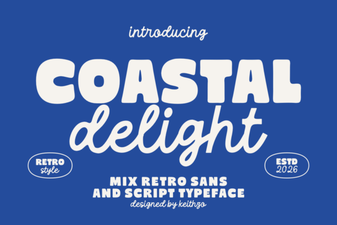 Coastal Delight Font: Design Tips & Download Guide
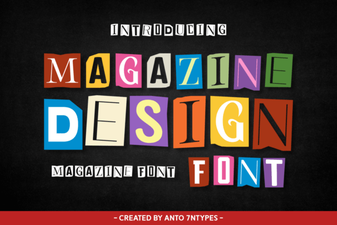 Creative Font Choices for Modern Magazine Design
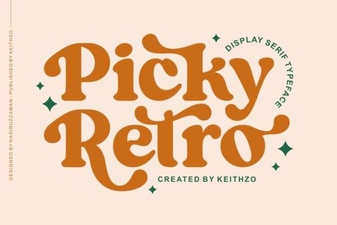 Creative Uses for Picky Retro Fonts
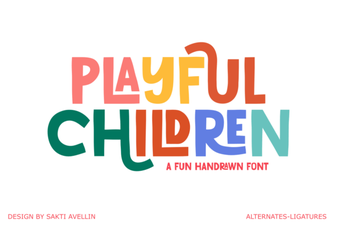 Playful Fonts for Creative Children's Projects
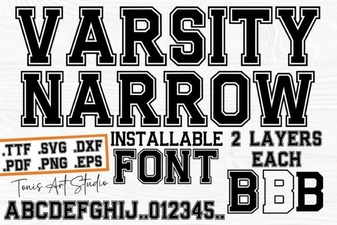 Innovative Design Projects Using Varsity Narrow Font
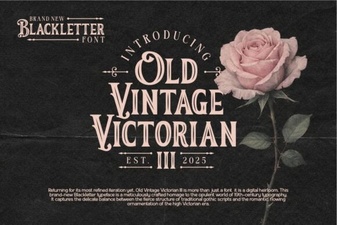 Classic Victorian Font Design Ideas & Uses